
How to Purchase Additional Options
Customers who purchase tickets for this performance may add an optional set that includes a Crystal Bottle Drink and drink merchandise, regardless of ticket type.
Please note that add-on options can be purchased up to two days before each performance.
Check the date and time of your reserved performance ticket
For add-on options, you must select the same performance date and time as your reserved ticket.
Please make sure to check your reserved performance ticket before purchasing, so that you can buy add-on options for the same performance date and time you plan to attend.
Please note that if you do not have a performance ticket, or if you purchase add-on options for a different performance than the one you plan to attend, we cannot provide the add-on options separately. Additionally, changes or cancellations cannot be made after purchase, so please only proceed if you understand and agree to these terms.
Select the performance month on the purchase page
After confirming the date and time of your performance ticket, proceed to the official ticket purchase page.
Add-on options can be purchased from the “Add-On Options” section displayed on the performance list page.
Like performance tickets, the add-on options purchase page is divided by performance month. Please click the “Purchase” button for the month you want to attend.
On the next page, you can select the performance date and start time.
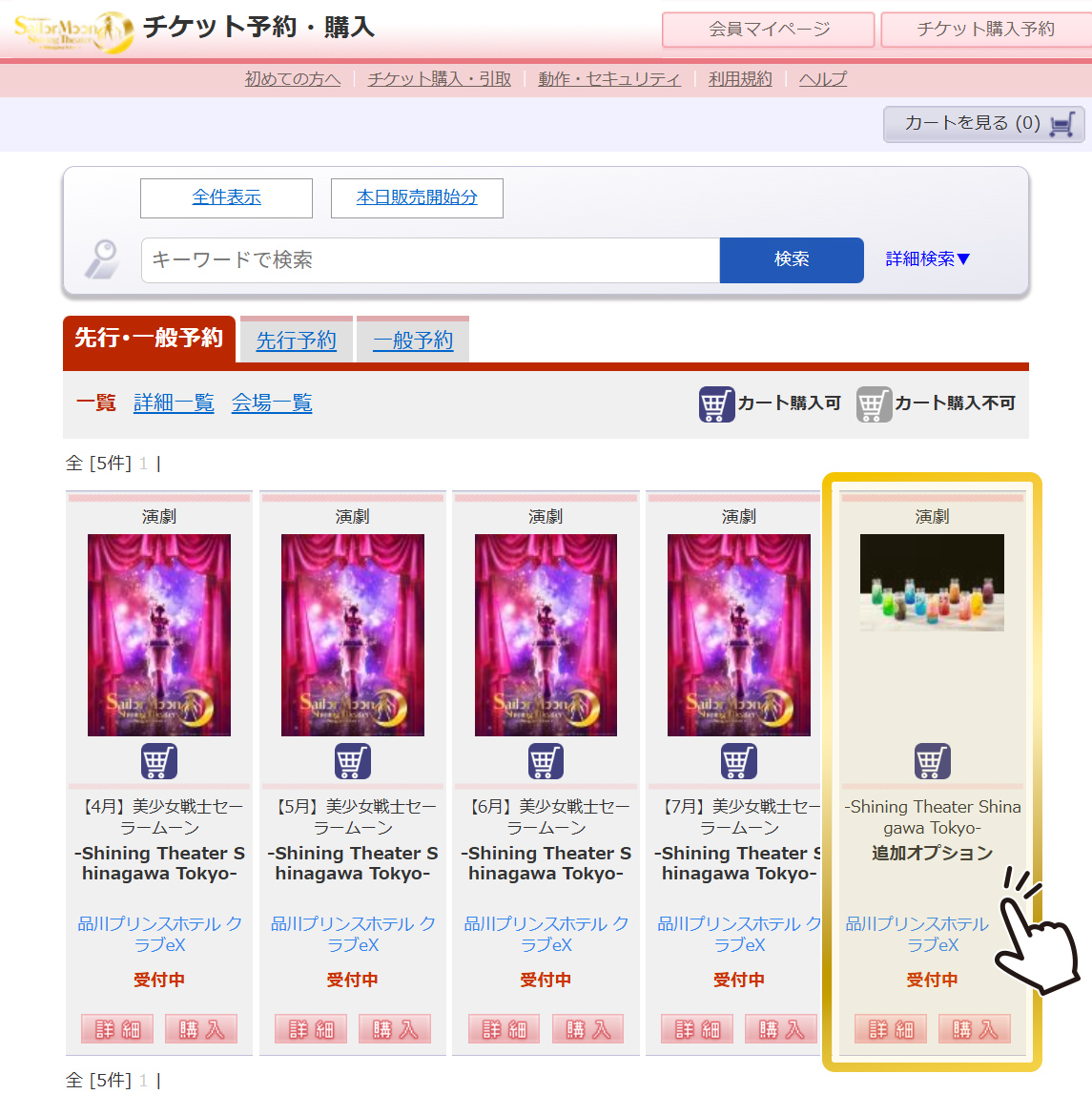
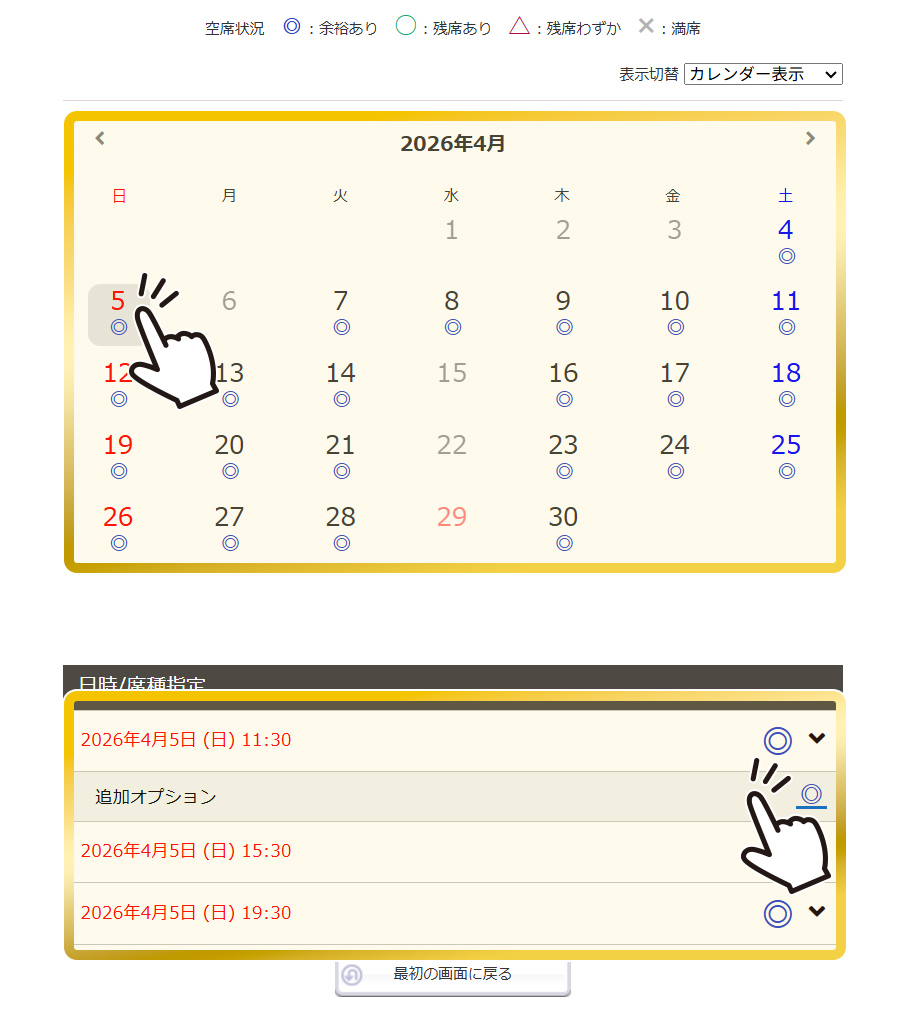
Select the performance date and time from the performance calendar
From the performance calendar, select the date and time of the performance you plan to attend.
For add-on options, be sure to select the same performance date and time as your purchased ticket. Please carefully check to ensure the performance date and time are correct.
Please note that if you do not have a performance ticket, or if you purchase add-on options for a different performance than the one you plan to attend, the add-on options cannot be provided separately. Additionally, changes or cancellations cannot be made after purchase, so please only proceed if you understand and agree to these terms.
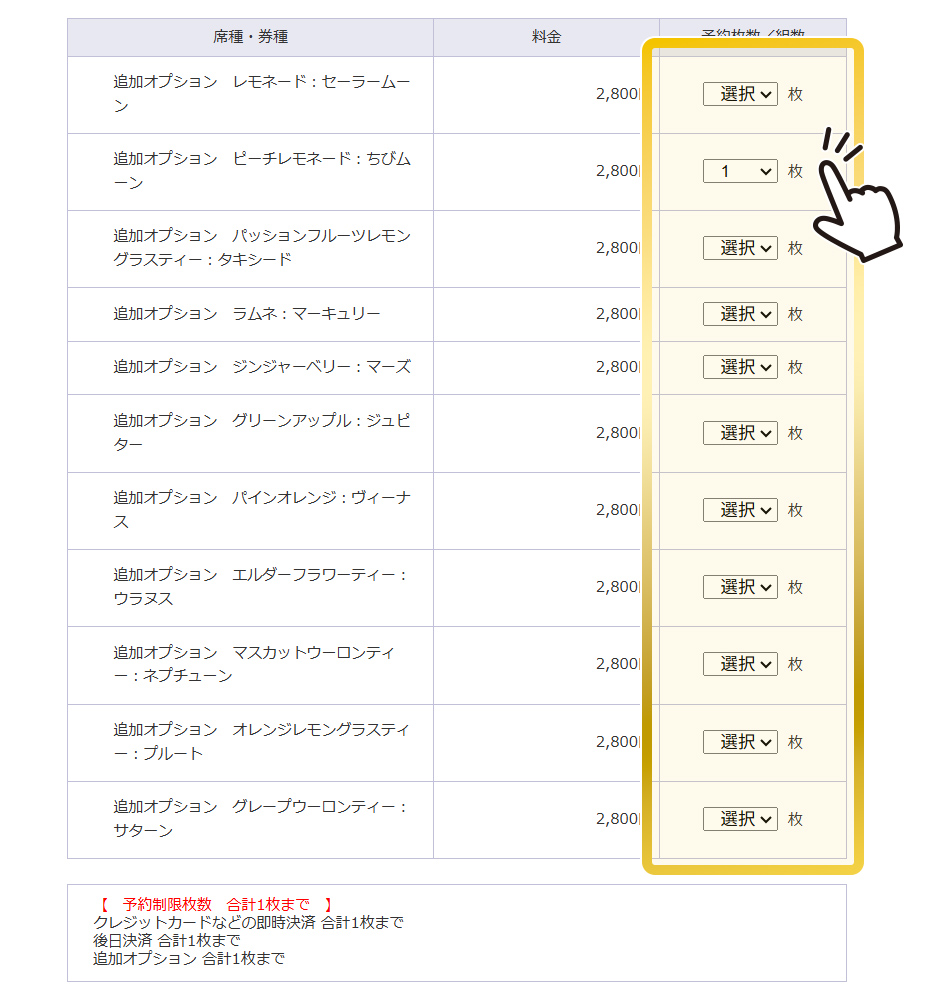
Select the type of drink set
On this page, please select the number of tickets you wish to purchase.
You may purchase up to 4 tickets per transaction for the same performance date and time (excluding BOX Room).
On this screen, select the type of add-on option.
Please note that you can purchase up to one set of add-on options per person for the same performance date and time. However, due to system limitations, only one add-on option per performance date and time can be purchased in a single transaction. If the representative wishes to purchase add-on options for accompanying guests, please make separate transactions for each set. We apologize for the inconvenience and appreciate your understanding.
Please note that for add-on options only, the available drink types may be limited.
From the flavors and character names listed in the seat/ticket type list, select your desired ticket type (drink flavor) and the quantity.
Click here for allergy information for each drinkAfter selecting your ticket type (drink), click “Proceed to Next Page” at the bottom right of the screen. On the next screen, the drink types will be displayed, so please make sure to check that the performance date and details are correct.
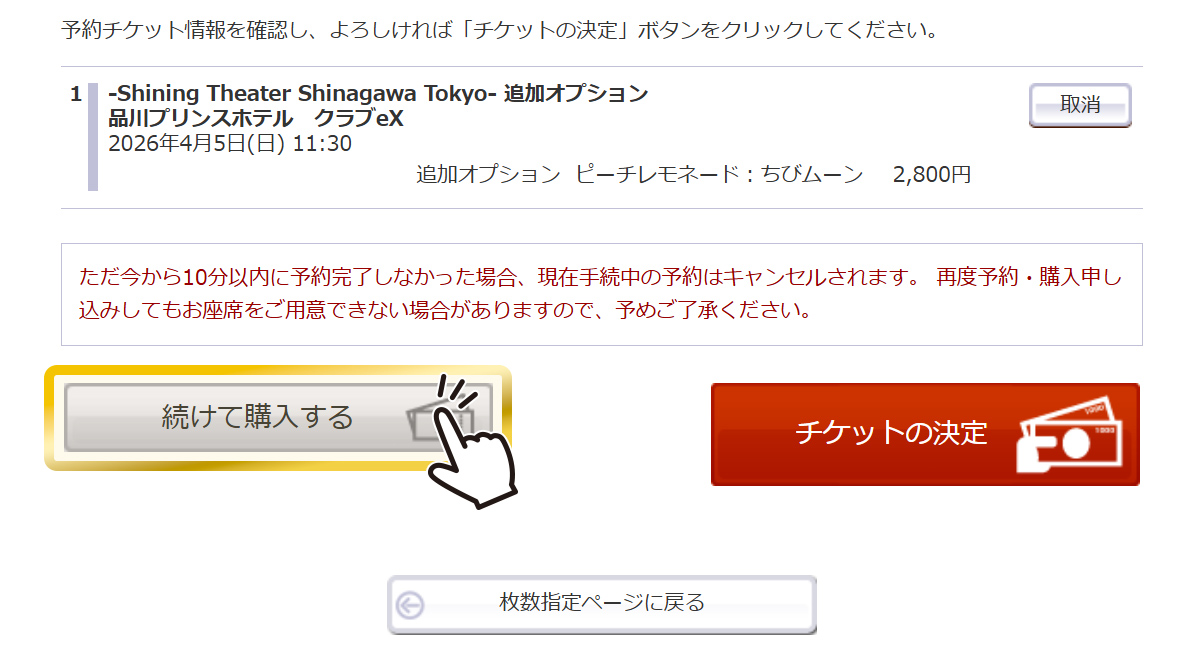
When purchasing add-on options for multiple performances at once
Select “Continue to Purchase.” You will return to the performance list page, where you can purchase add-on options for another performance by following the same steps starting from Step 2.
Please note that you can purchase up to 9 items per transaction.
You can also purchase performance tickets together with add-on options.
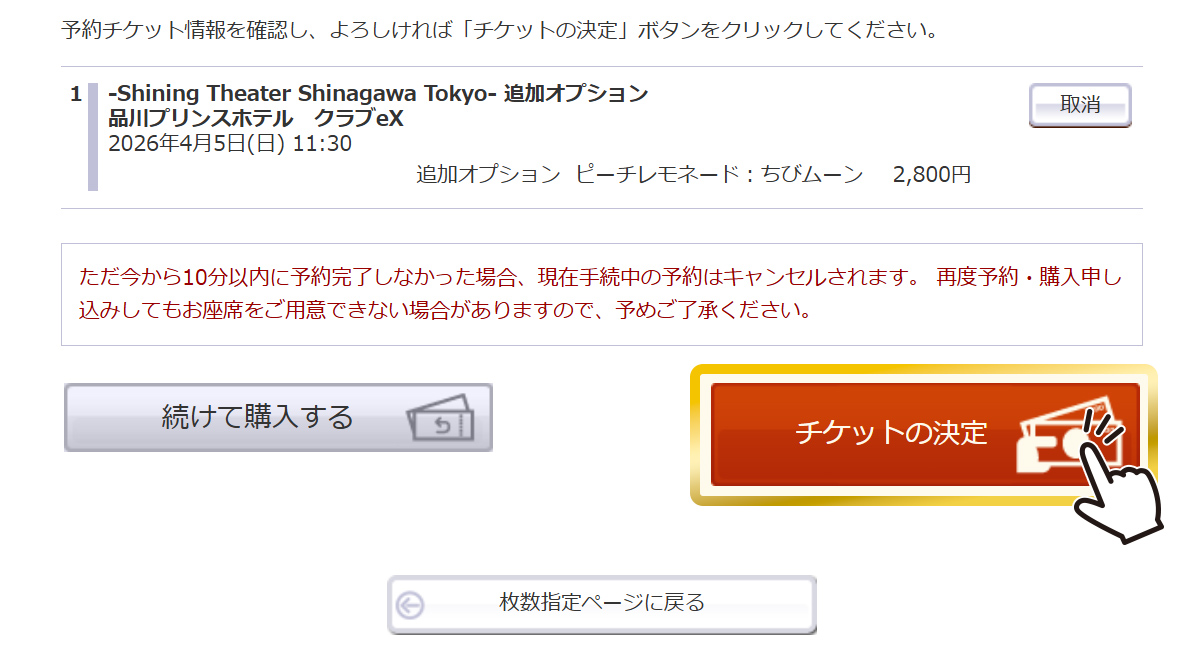
If you secure tickets for another performance (including add-on options) via “Continue to Purchase,” all seats in your cart will be reserved again for 10 minutes.
Select Payment Method and Review Reservation Details
Verify that the information in your cart is correct, then click “Confirm Tickets.”
On the following pages for selecting payment and delivery methods, please enter your information according to the on-screen instructions.
In addition, to complete your purchase, you must read and agree to the terms of use. Please check each “I Agree” box. (If you do not agree, you will not be able to complete the purchase.)
Reservation Complete! Once You Receive the Confirmation Email
Once you can confirm that the screen displays your “Reservation Number,” “Reservation Date,” and other information, your reservation and purchase are complete.
A confirmation email containing your reservation and purchase details will be sent to the registered email address. Please check your reservation number and status, and follow the instructions provided.
You can also check your reservation and purchase details from your My Page.
To log in to My Page, you will need the Reservation Number, Phone Number, and Name (in Katakana) issued at the time of ticket purchase. (If you are a registered member, please enter your Member ID and Password.)
Go to My PageIf you wish to purchase add-on options for accompanying guests, please do so again from the purchase page.
Due to system limitations, only one add-on option per performance date and time can be purchased in a single transaction.
Please note that for each performance date and time, each person can purchase up to one set of add-on options.
About Ticket Collection
Add-on option tickets, like performance tickets, will be received as electronic tickets via “ResQ”, allowing entry with a QR code.
APlease obtain your entry QR code from the URL provided in the reservation confirmation email or from My Page. (One QR code will be issued for each add-on option.)
To receive your add-on options, you will need a Drink Exchange Voucher, which you can issue yourself at the venue. The Drink Exchange Voucher can be issued by scanning your QR code at the designated terminal inside the venue.
Once your voucher has been issued, please present it at the bar counter inside the venue.